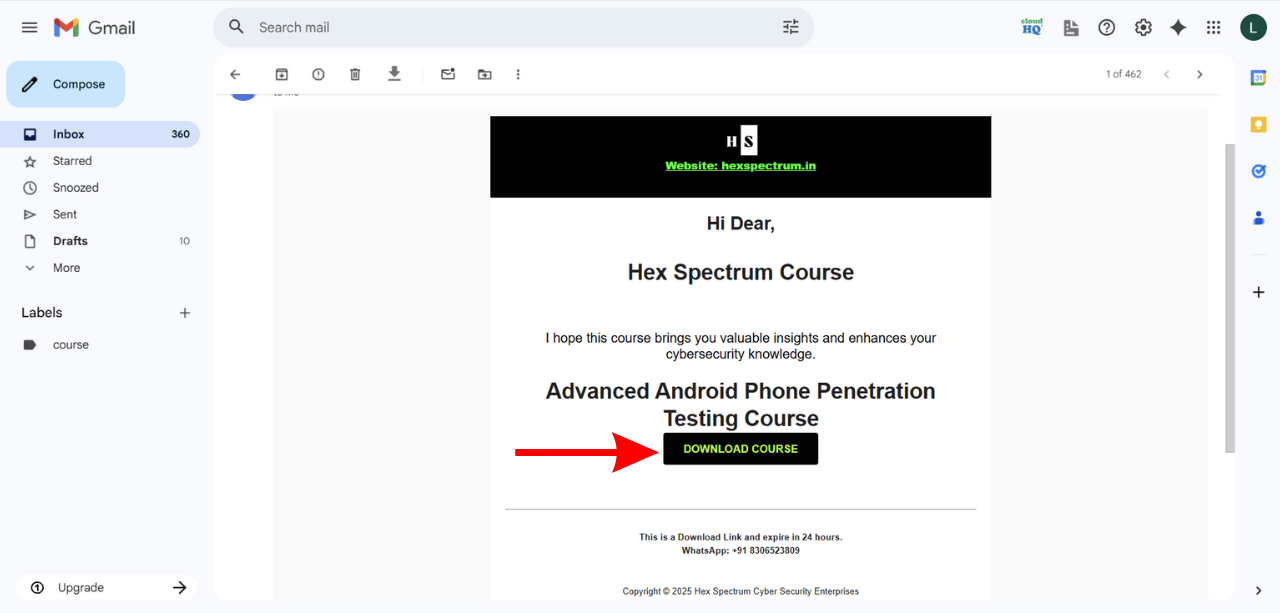
Step 1: After Buy Our Courses You get a Download Link From My Email, So You Can download first.
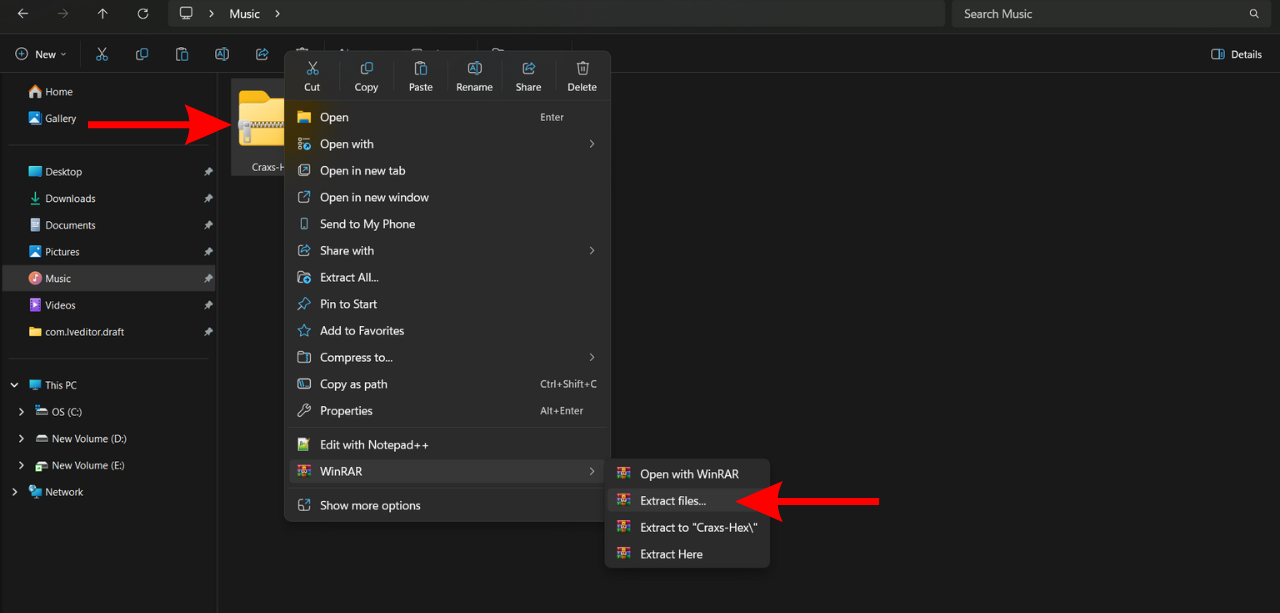
Step 2: After Download Our Course file, You have to extract rar file, you can use winrar for extracting .
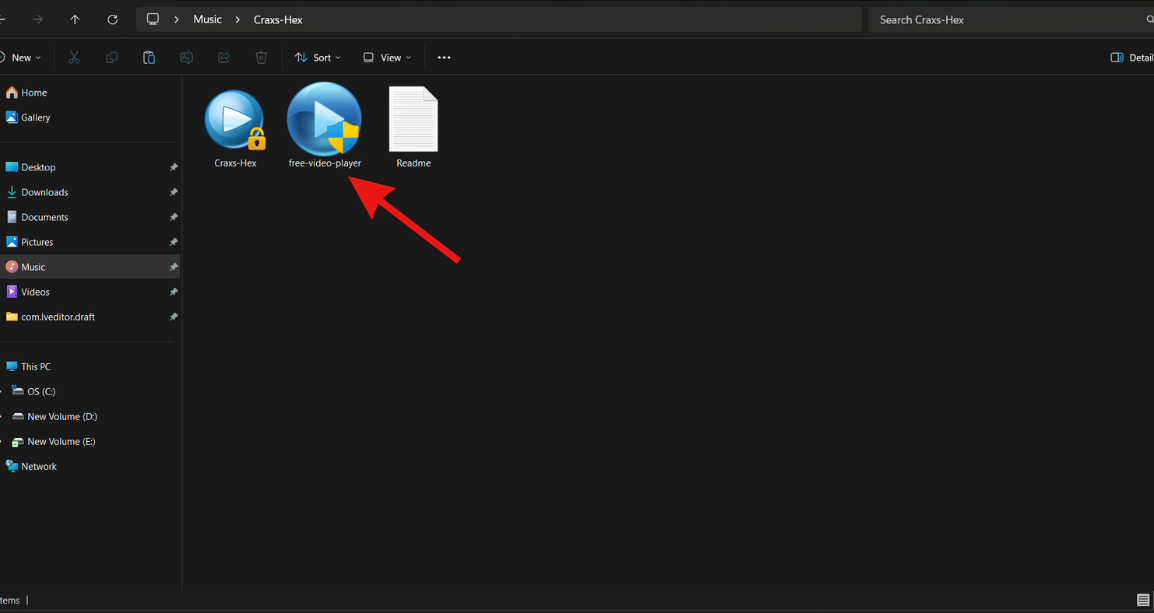
Step 3: Now Run Video Player on Your Windows Computer
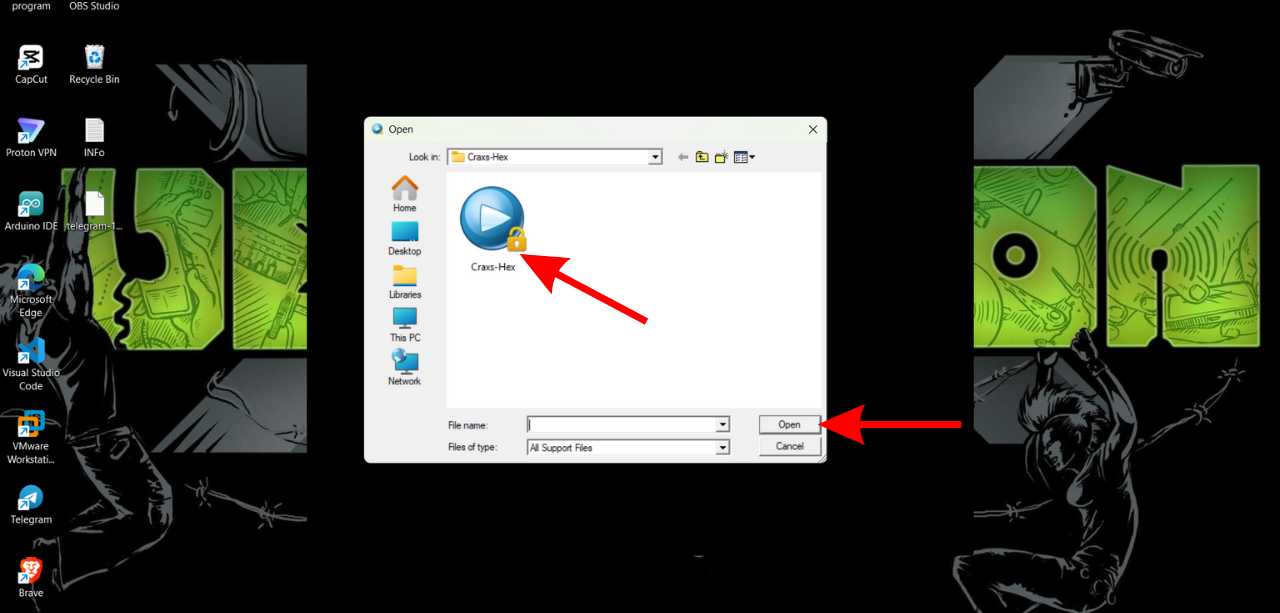
Step 4: After Open Player, You have to select .gem file which is available on Our Course Folder.
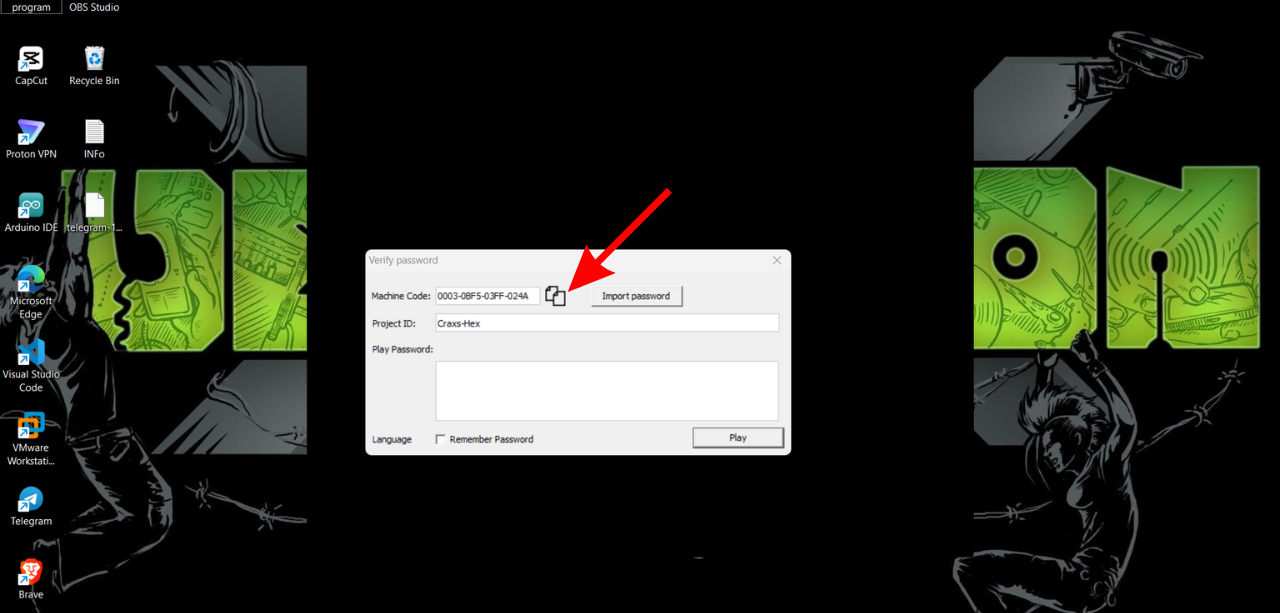
Step 5: Good You have to see Your Unique Machine Code, So Copy This One And send my Whatsapp or Telegram (Available On Readme.txt)
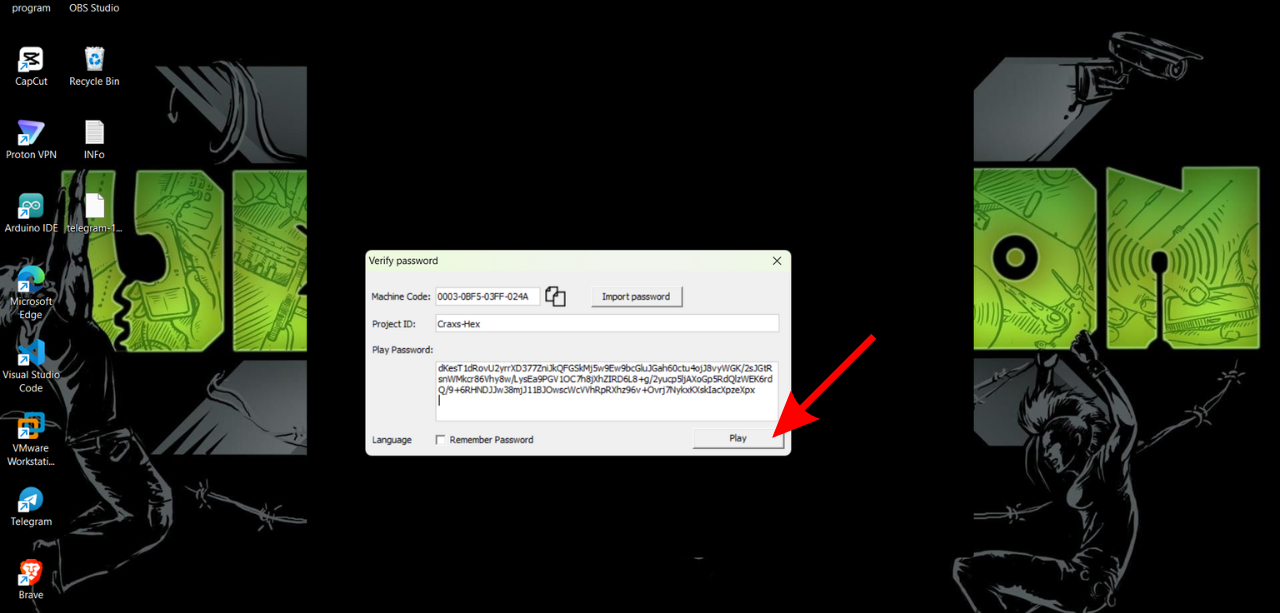
Step 6: Within 2 Min. we have to send your Unique Password to unlock my video, you can paste in play password section and click play button, and Now Done You can start learn our course.
If You face any issues and doubt regarding our course, you can ask me feel free. Thanks 🙂
⚠️ Important Note:
Our courses are protected with DRM (Digital Rights Management) for security and piracy prevention. To access the course content, you must use a Windows system as your host operating system.
Virtual machines are strictly not allowed.
The course player verifies your machine ID, so it will only work on the registered Windows device.
If you are using Android, iOS, or macOS, you will not be able to access the course directly.
You may still purchase the course only if you can arrange a Windows laptop or PC.
Please arrange a Windows system before purchasing the course, as it is your responsibility to meet the system requirements. 👉 We can only provide technical support for Windows systems.